


Done-for-you business workflows · month to month

Get repetitive work off your team's plate.

Send us a request: a website update, a manual process, a task your team keeps redoing. We build it, you approve it, and a monthly report shows what ran and the time it saved.

  • Private workspace per client
  • Human approval on anything customer-facing
  • Pause or cancel anytime

Example workspace · Request queue

4 requests
  • Draft contract + welcome packetOnboarding · drafted for reviewDraft
  • Sync new-client data to CRMAutomation · liveLive
  • Update pricing page copyWebsite · queuedQueued
  • Approve onboarding workflowOnboarding · waiting on youYou

The difference

From scattered requests to one clear queue.

Without it

  • Requests scattered across email threads and spreadsheets
  • No clear view of what is in progress or waiting on you
  • Work reaching customers before anyone has checked it
  • No record of what ran or what it saved

With a Cognitivv workspace

  • One queue for every request
  • A board showing what is queued, in progress and waiting on you
  • Customer-facing work approved by a person first
  • A monthly report of what ran and the time saved

The product

See every request, approve what ships, know what it saved.

Each client gets a workspace of their own, with requests, approvals and reporting together in one place.

Nothing goes out without your OK

Anything a customer will see waits for a person on your team to approve it first. Nothing ships on its own.

Draft contract + welcome packetNeeds you

A private workspace per client

Every business gets a workspace of its own: its own requests, files, history and members. Nothing is shared with other clients.

One request queue

Send requests to a single board. See what is queued, in progress and waiting on you, and reorder priorities each week.

Control who sees what

Invite teammates with the access they need. Share only the data a request requires.

A monthly report

What ran, what failed and the time saved, in one place, with documentation kept up to date as things change.

What you can queue

Four kinds of work, as you need them.

Pick what you need this month. Stop when you stop needing it.

Websites that bring in clients

Positioning, copy, design and launch in one engagement.

Less time on routine tasks

Emails and documents drafted, research and reports prepared, data entered and routed, ready for you to review.

Faster client onboarding

Intake, contracts, account setup, checklists and reminders, without the back and forth.

A teammate that knows your business

A private assistant that knows your documents and tone, with a person reviewing what matters.

How it works

From request to done, in four steps.

  1. 1

    Kickoff audit

    We map your repetitive work and rank it, so the first thing built is the one that pays off fastest.

  2. 2

    Open your workspace

    Invite your team and send requests to one queue. Priorities are sorted with you each week.

  3. 3

    Built and approved

    Small requests move fast. Larger builds are scoped first and run in stages: you can read and edit the output of each stage before the next one starts.

  4. 4

    Monthly review

    A short report on what ran, what failed and the time saved.

Built in-house

The same approach, running in our own products.

Separate data for every customer, human sign-off and checked results are not slideware. We build and run them ourselves.

In-house product

RetroSwap

Software for game stores

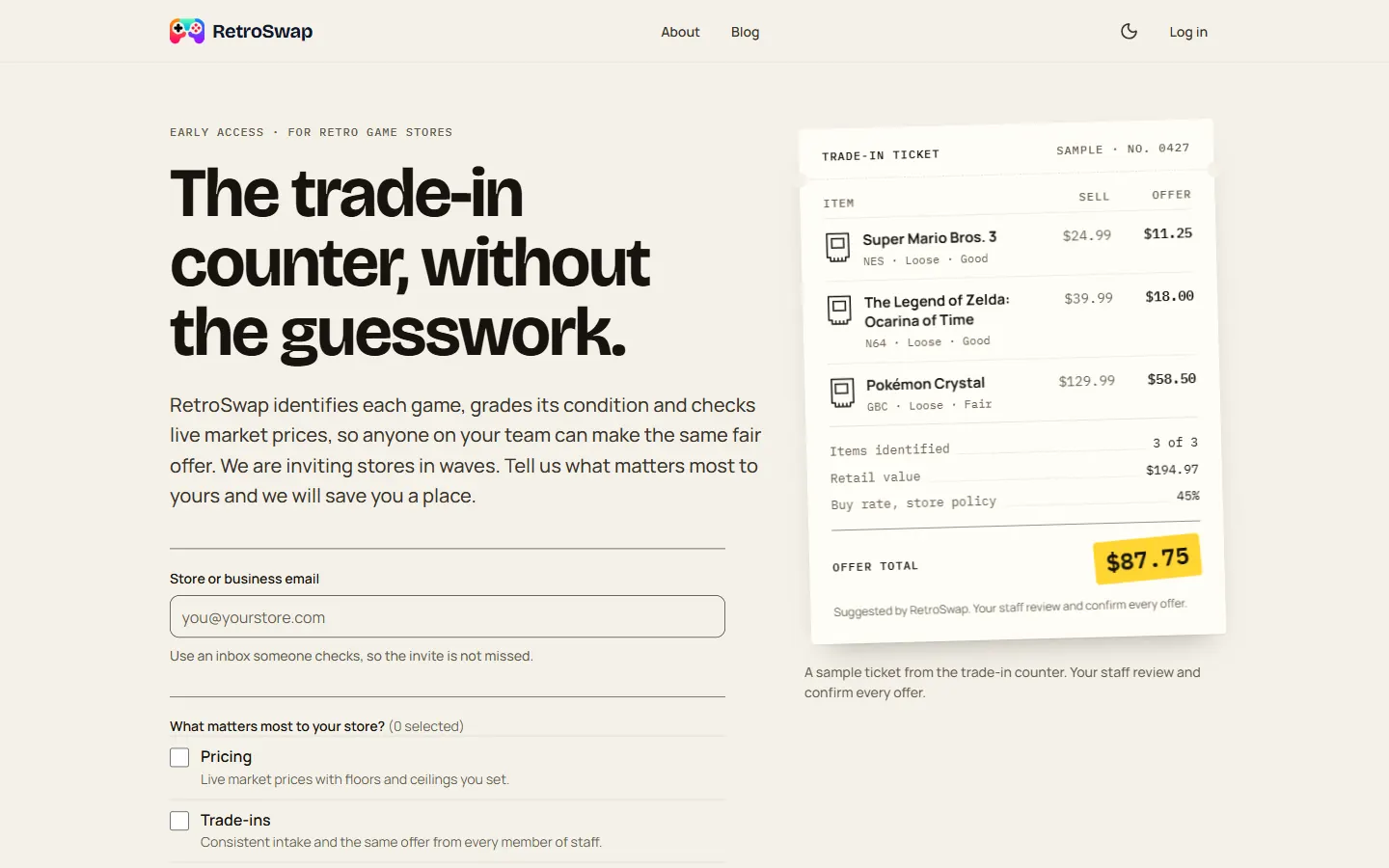
Inventory and pricing for retro game stores: item identification and grading, dynamic pricing, trade-ins, point of sale and a storefront for each store. In invitation-only early access.

The approach

Each store's data stays separate. Prices are suggested automatically; the rules and the store owner decide.

Visit retroswap.com

What it does

  • Identifies each game
  • Evaluates its condition
  • Checks live market prices

In-house product

Blockstudy

Chart analysis · in development

A chart-analysis engine for crypto and US equities with an Expo mobile app as its first client. Educational, not investment advice.

The approach

Numbers are calculated by code, never guessed. Every result is checked before anyone sees it, and anything that fails the check is never published.

Client work

Youth sports platform

Website + mobile app

A club website with workout scheduling, waitlists, bookings, a permission-scoped admin CMS and an iOS and Android app for families.

The approach

Roles and permissions decide who can see and change what, with an audit trail on every record.

Pricing

Simple plans. Month to month.

Prices are in USD. AI model and tool usage is billed at cost. Early-access pricing may change before launch.

For getting started

Essential

$3,500/month

Billed monthly, cancel anytime

For teams getting started with automation.

  • One active request at a time
  • Small builds, tweaks and site updates
  • Monitoring of what we have built
  • Monthly summary of what ran and time saved
  • Monthly strategy call
Join the waitlist
Recommended

Growth

$6,500/month

Billed monthly, cancel anytime

For teams with a steady stream of work.

  • Everything in Essential
  • Two active requests at a time
  • A medium build each quarter
  • Assistant improvements and a weekly check‑in
  • Priority turnaround on requests
Join the waitlist
Custom scope

Scale

$12,000/month

Starting price, billed monthly

For multi-workflow rollouts, scoped with you.

  • Everything in Growth
  • Custom assistants
  • Connections to your internal systems
  • Security and access review
Talk to us
Questions about plans? Read the FAQ

Each plan lists its limits in writing. Anything larger than a plan covers is scoped and quoted separately. Not ready for a subscription? Ask about a $1,000 workflow audit, a website sprint (from $7,500) or a single workflow build (from $8,000).

FAQ

Questions, answered.

What counts as a request?

One workflow, one assistant update, one connection to another tool, or one page or section of your site. Anything larger is scoped with you first, so there are no surprises.

How do you keep AI work under control?

We split each build into numbered stages with one job each. Every stage leaves a plain file you can open, read and edit before the next one starts, so problems get caught early instead of at the end. This follows an open method called Interpretable Context Methodology (ICM), where the folder structure, not hidden code, runs the workflow.

Is my data separate from other clients?

Yes. Each client is a separate workspace, and requests, files and history are scoped to it.

Which AI do you use?

Whichever fits the task, from Claude, OpenAI and Gemini. For quick, bounded decisions like routing a request, scoring urgency or deciding what needs approval, we use small specialised models (Jev, the open-weight Laya, or the OpenAI Decisions API once it is generally available) so results stay consistent. Usage is billed at cost.

Can I pause or cancel?

Yes. Plans are month to month with no long-term contract.

What access do you need to my data?

Only what a request requires, through permissions you control. Anything customer-facing gets a human review before it goes out.

Do I own what you build?

Yes. The workflows, assistants and websites we build for you are yours, along with the documentation.

I'm not sure what to automate.

Start with a workflow audit ($1,000, credited toward your first build or plan). We map one process and tell you honestly whether it is worth automating.

Get a workspace when we open the doors.

Join the waitlist and we'll reach out to map your first workflow.

We use your details to email you about Cognitivv AI, and every email has an unsubscribe link. See our privacy policy.

hello@cognitivvai.com