

jev
The AI That Never Writes a Word: 7 Surprisingly Useful Ways to Use Jev in Your Business
Jev doesn't chat or write. It makes fast, labeled decisions: which team gets this, how urgent is it, is it safe to send. Here are seven practical ways a business can use it, in plain language.
· 7 min read
jevai-automationsmall-businessworkflows
Most business AI talks. It writes emails, answers questions and sums up meetings.
Jev, a model from TypeSafe, does something different. It never writes a word. It makes a quick decision and tells you how sure it is.
That sounds small. It is not. A lot of daily work comes down to decisions. Who should handle this? Is it urgent? Is it safe to send? Jev is built for exactly those questions.
What Jev does, in plain words
Jev comes from a company called TypeSafe. TypeSafe says Jev returns typed answers and probabilities rather than generated text.
In plain words: you ask a question, and Jev answers with a label and a number. You never get a paragraph back.
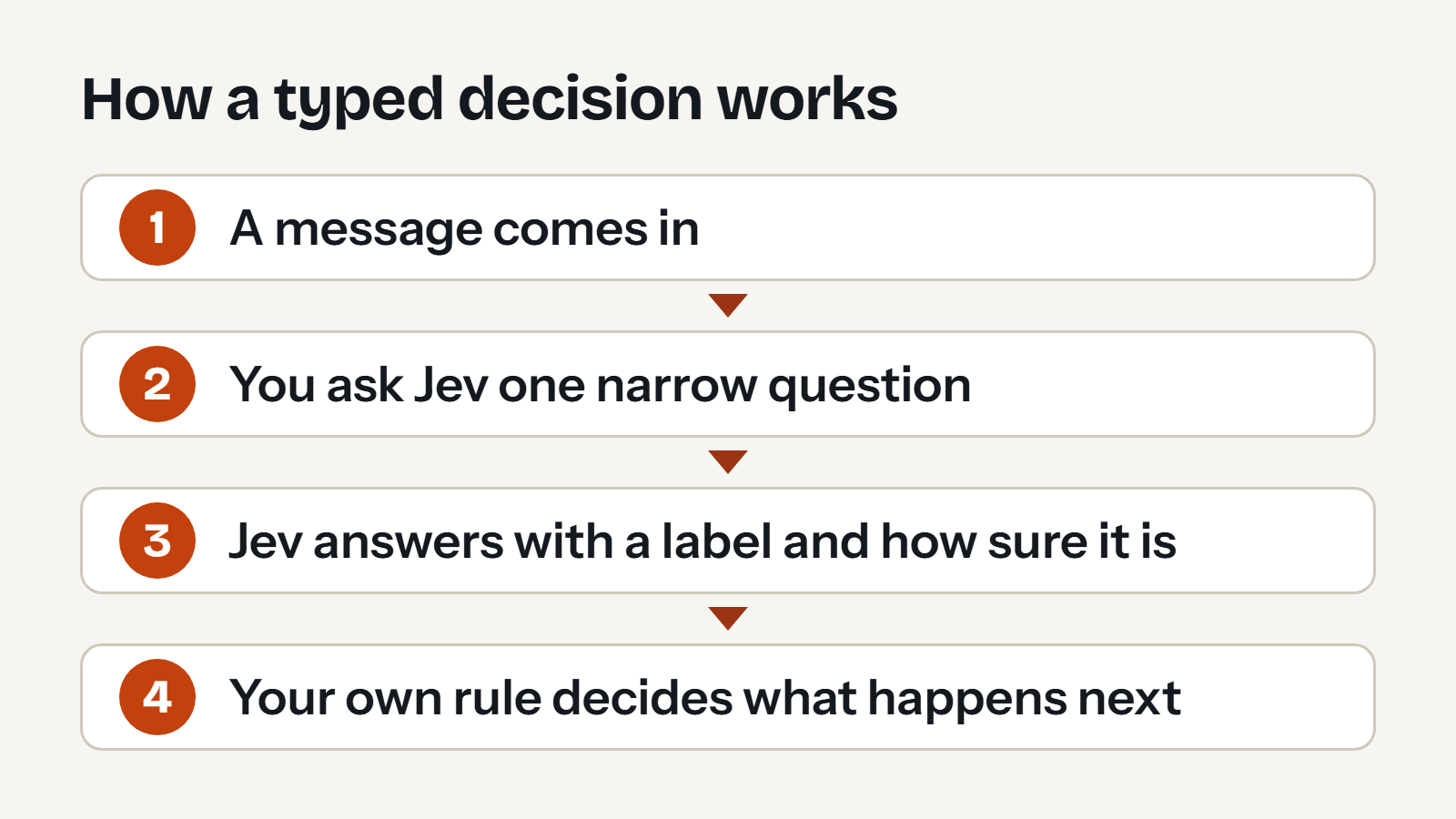
Here is that diagram in words:
- A message comes in.
- You ask Jev one narrow question.
- Jev answers with a label and how sure it is.
- Your own rule decides what happens next.
Step 4 matters most. Jev gives you an answer. Your software, or your team, decides what to do with it.
Three kinds of answers
TypeSafe describes three kinds of answers. Learn these three and the rest of this article is easy.
| Kind | The question it answers | What comes back |
|---|---|---|
| Choice | Which of these options? | One option, and how sure Jev is |
| Score | Which level? | A number on a scale you define |
| Noul | Is this true? | A probability from 0 to 1, where 1 means a strong yes |
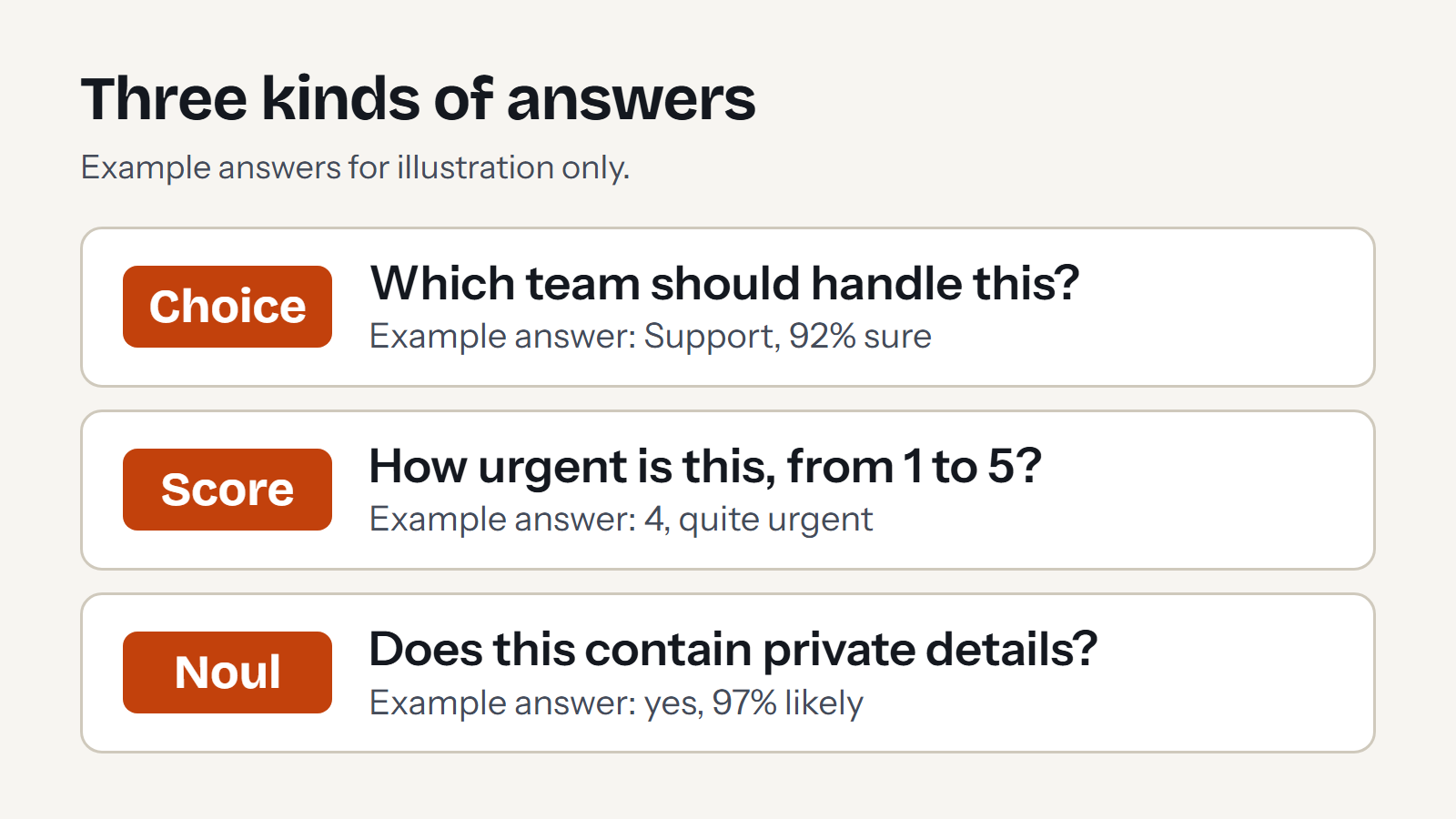
In words, with example answers for illustration only:
- Choice: "Which team should handle this?" Example answer: Support, 92% sure.
- Score: "How urgent is this, from 1 to 5?" Example answer: 4, quite urgent.
- Noul: "Does this contain private details?" Example answer: yes, 97% likely.
Seven ways to use Jev
Each example below is imagined. None is a story about a real client.
1. Send each request to the right person
Picture a small accounting firm with one shared inbox.
- The question: Which team should handle this: billing, tax or new clients?
- What comes back: One choice, and how sure Jev is.
- What your software does: It forwards the message to that team.
2. Spot what is urgent
- The question: How urgent is this message, from 1 (can wait) to 5 (needs help today)?
- What comes back: A score.
- What your software does: It moves the 4s and 5s to the top and alerts a person.
3. Check before you send
Picture a clinic that emails appointment details.
- The question: Does this reply contain private details, such as an account number?
- What comes back: A probability from 0 to 1.
- What your software does: If the probability is high, it holds the reply until a person approves it. This is called an approval gate.
4. Rank your leads
- The questions: How well does this person match our ideal customer, from 1 to 5? Is this person ready to buy now?
- What comes back: A score, and a yes-or-no probability.
- What your software does: It lists the best leads first, so your team calls them first.
5. Check AI-written answers against your facts
If you already use AI to write, you need a second pair of eyes. TypeSafe has a guide to double-checking citations.
- The question: Does the source text support this sentence?
- What comes back: A probability from 0 to 1.
- What your software does: It flags sentences the source does not support, so a person can look at them.
6. Keep your chatbot safe
TypeSafe also has a guide to guardrails. The idea is to screen messages going into a chatbot and replies coming out.
- The questions: Is this message trying to make the chatbot ignore its rules? Does this reply share something it should not?
- What comes back: A probability for each question.
- What your software does: It blocks the message, or holds it for review.
7. Pick the right detail out of a document
Picture a contract with six different dates in it.
- Your software: It finds every date in the text.
- The question: Which of these dates is the renewal date?
- What comes back: One choice.
- What your software does: It copies the exact date from the contract. Jev picks. It never rewrites the date.
TypeSafe calls this value extraction. It works well because the answer is always a real value from your own document.
Let confidence decide who acts
Every answer comes with a sense of how sure Jev is. TypeSafe suggests three ranges. When confidence is high, act automatically. When it is in the middle, ask a person to confirm. When it is low, do not act, and send it to a person.
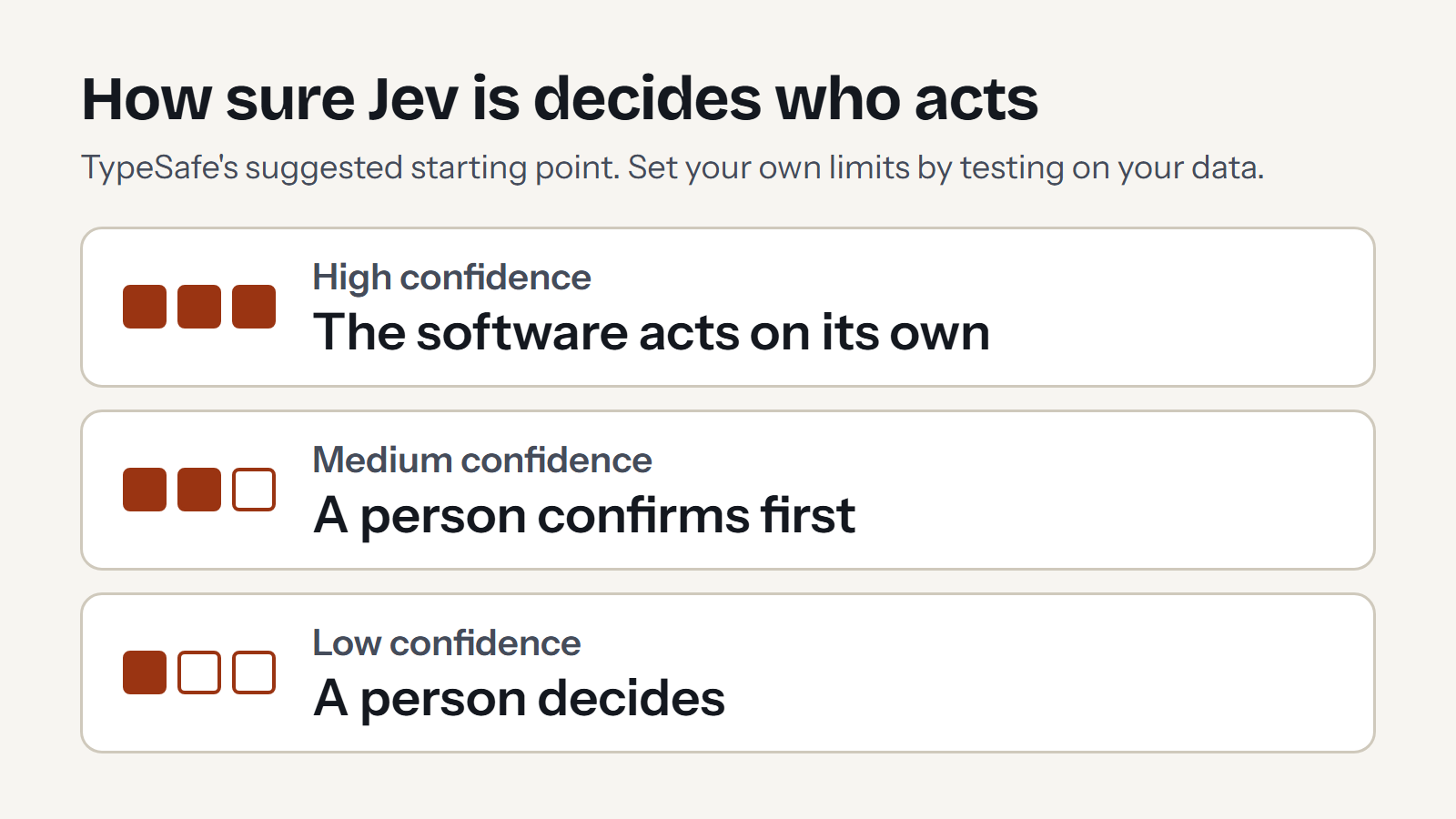
In words:
- High confidence: the software acts on its own.
- Medium confidence: a person confirms first.
- Low confidence: a person decides.
TypeSafe stresses that there is no one right limit. A risky action needs a higher bar than a harmless one. Their advice is to start with careful limits, test on your own data, and adjust as you learn.
What Jev will not do
Knowing the limits keeps you out of trouble.
- It does not write. TypeSafe says its models do not write replies, produce code or explain their reasoning.
- It reads text only, for now. Images, audio and video are not supported yet, according to TypeSafe.
- A neat label is not proof of a right answer. Test Jev on real examples from your own business before you trust it.
What it costs
TypeSafe's models page lists Jev at $0.042 per million input tokens, with free output. That is the price for the model called jev-1.13.0.
A token is a small piece of text, roughly three-quarters of a word. So a million tokens is roughly 750,000 words. Prices can change, so check their page before you plan around it.
See it in a real industry
If you work in construction, this video is worth a few minutes. It is titled "Jev for Construction – 3 Practical Use Cases". Use the player's captions button if captions are available.
How to start this week
- Pick one decision. Choose something you decide again and again, such as who should handle a request.
- Collect real examples. Gather a few dozen real messages or documents. Real ones show you the messy cases.
- Write the question in one sentence. A narrow question works better than a broad one.
- Compare. Ask Jev, then check its answers against what a person would have chosen.
- Set your limits. Decide what happens at high, medium and low confidence. Keep a person in charge of anything risky.
Where Cognitivv AI fits
In the Cognitivv workspace, decisions like these power request routing, urgency scores and approval gates on customer-facing work.
If you want help finding the first decision worth automating, take a look at our workflow audit.
Disclosure: [State any relationship with TypeSafe here, or delete this line.]
Comments